See it in action

From a Slack message at 23:45 to a billable PDF on your manager's desk.

OvertimeLog runs on your laptop, watches your Slack activity for after-hours contact, applies your billing rules, and produces a report you can actually send to a manager. Below is exactly that flow โ€” with a real sample report you can download right now.

โ†“ Download a sample report Walk through the flow
Step 1 / 3

Detect overtime as it happens

OvertimeLog reads your Slack messages on your behalf using a user token โ€” there is no bot, no extra app installed in your workspace, and nothing visible to your coworkers. Every message you send or receive outside the work hours you configured is logged with a timestamp, the channel, and a permalink back to Slack.

  • Local-only: messages land in a SQLite file on your laptop, not a server you don't control.
  • Cross-midnight schedules supported โ€” set work hours of 09:00โ€“01:00 and a message at 00:30 still counts as on-hours.
  • Per-message permalinks so every entry is one click away from the live Slack thread.
  • SHA-256 evidence hash captured at ingestion โ€” you can prove later what a message looked like at the moment it was logged, even if Slack edits or deletes it.
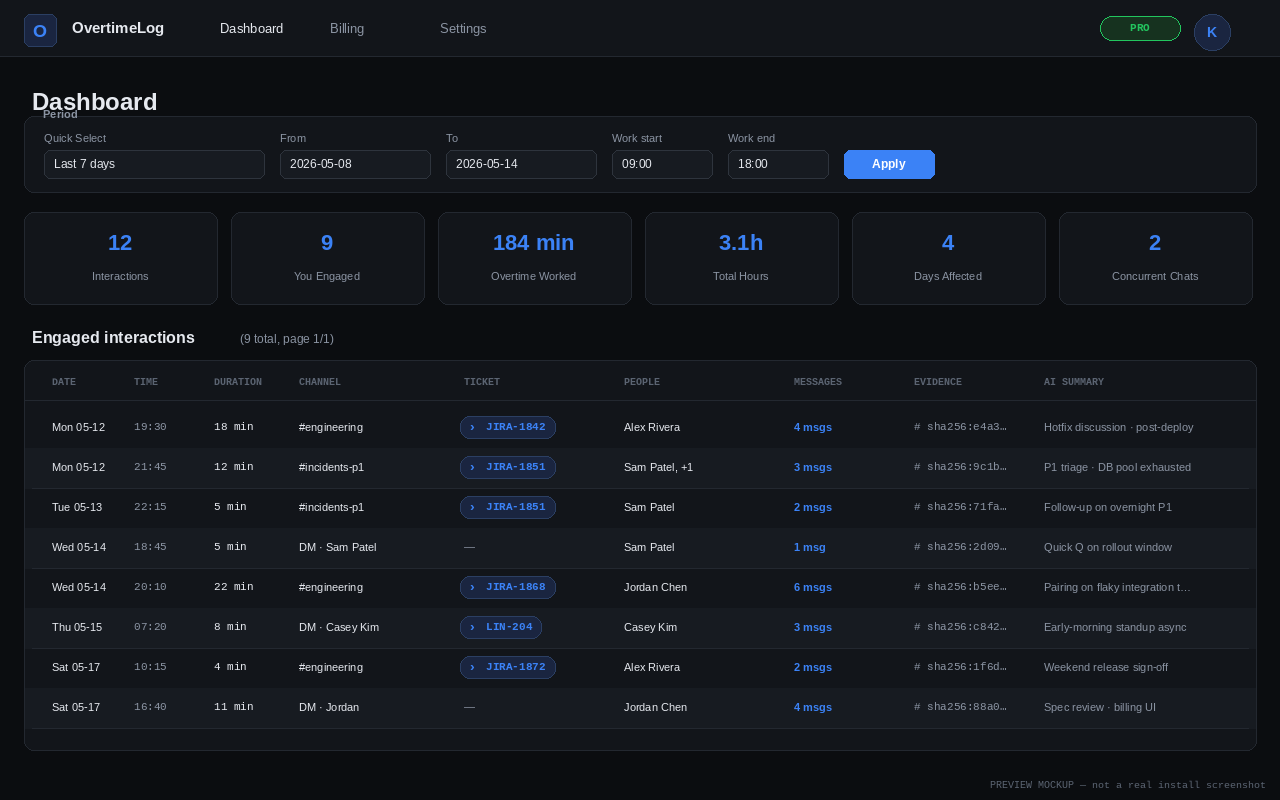
SCREENSHOT ยท dashboard.png
Dashboard โ€” overtime interactions list
1280ร—800, captured from a real install
Step 2 / 3

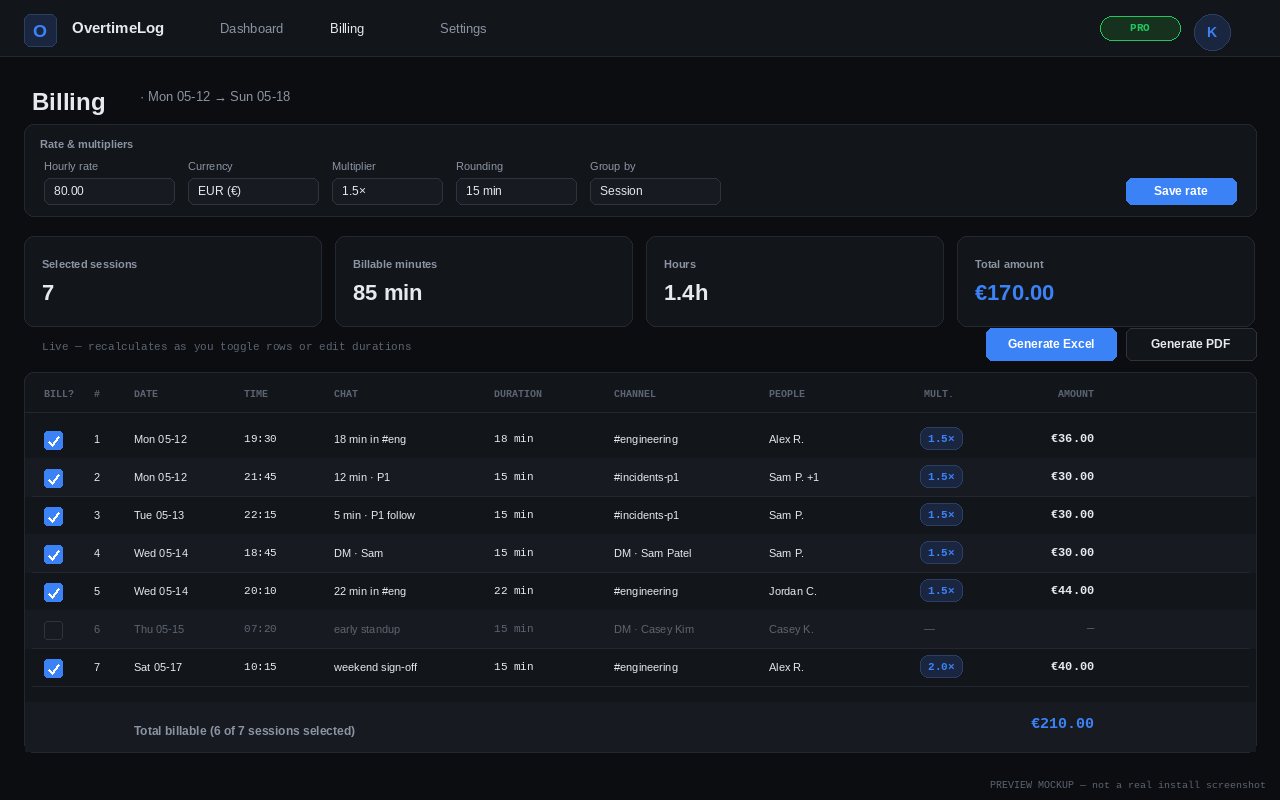
Calculate billable amounts

Messages within 15 minutes of each other roll up into a single session, and each session has a duration, a channel, and the people involved. You set the hourly rate, the overtime multiplier, and the rounding rule. If you want to adjust a specific session โ€” say, a 5-minute message thread that actually cost you 30 minutes of context-switch โ€” you can override the billed duration in the UI without touching the underlying evidence.

SessionChatMult.Amount
Mon 19:30 โ€” engineering18 min1.5ร—$36.00
Tue 22:15 โ€” incidents (P1)5 min1.5ร—$10.00
Thu 18:45 โ€” DM with Sam5 min1.5ร—$10.00
Sat 10:15 โ€” engineering (weekend)4 min1.5ร—$8.00
Total billable (this slice)$64.00

Excerpt โ€” see the full breakdown in the sample PDF below.

SCREENSHOT ยท billing.png
Billing UI โ€” rate, multiplier, live preview
1280ร—800, captured from a real install
Step 3 / 3

Export a report you can actually send

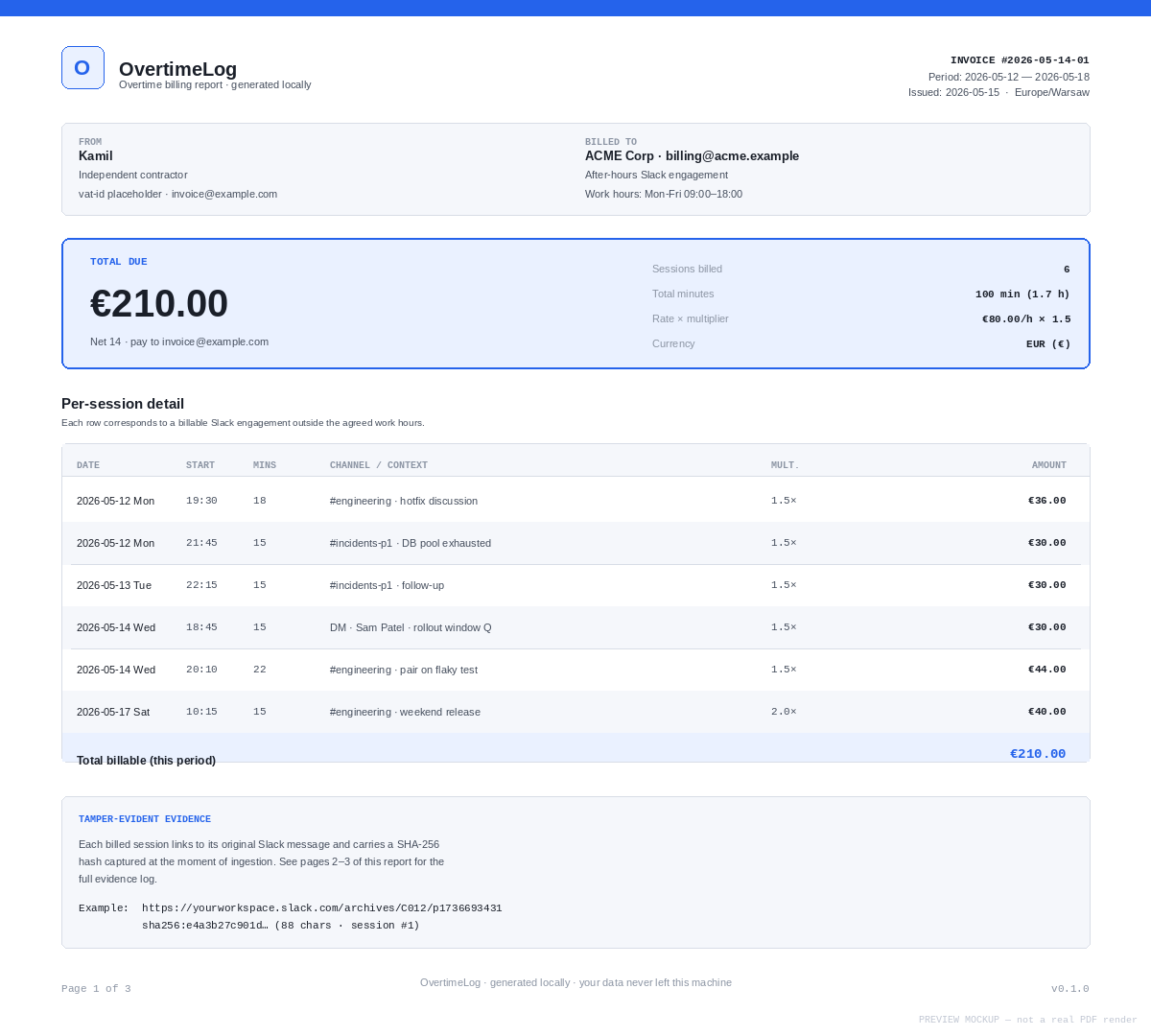
The output is a PDF or an Excel file โ€” both contain the same information: a summary, a per-session detail table, and a full evidence log with permalinks and SHA-256 hashes for every captured message. You can customise the template (your name, your company, an accent colour, a watermark, an optional logo, EN or PL labels), or turn on privacy mode to redact message text and keep only the timing evidence.

  • Tamper-evident: evidence hashes mean a recipient can verify the captured text matches the original.
  • Self-contained: no external links other than Slack permalinks. The report stands on its own as proof of work.
  • EN / PL labels via a simple language toggle โ€” useful for handing reports to a Polish HR department.
  • Privacy mode redacts message text on demand for situations where you want to prove timing without exposing content.
SCREENSHOT ยท sample-pdf-page1.png
PDF report โ€” page 1
1200px wide, page 1 of sample-billing.pdf

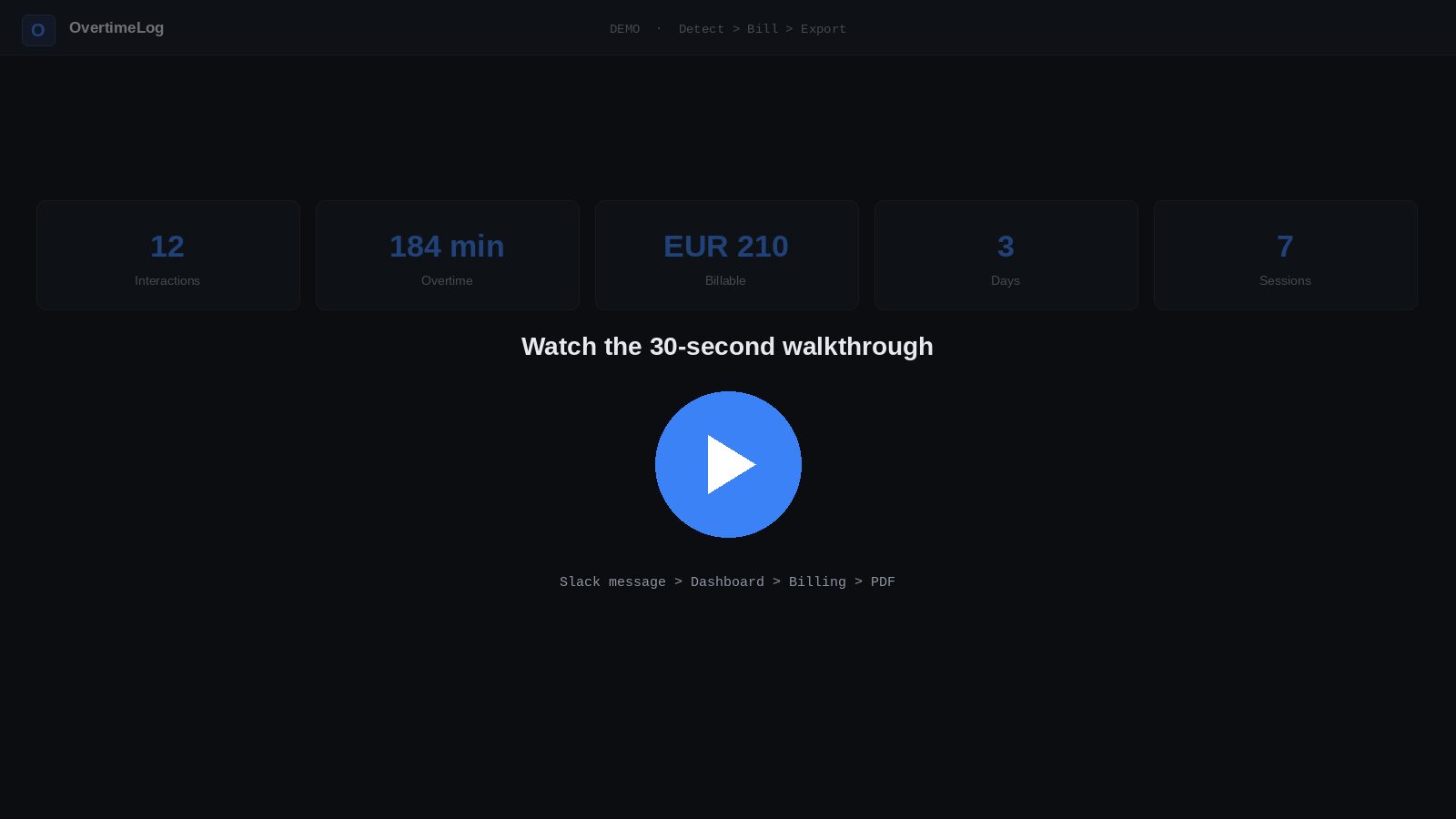
Watch the flow end-to-end

A ~30-second walk-through, from a Friday-evening Slack message to a finished PDF saved to your downloads folder.

โ–ถ
Demo recording โ€” coming soon
Drop demo-flow.mp4 in site/assets/ to enable.

Try the actual export, right now

Both files were generated by the production export code from a seeded week of fictional Slack messages. Same layout, same math, same evidence hashes you'd see for a real billing week.

๐Ÿ“„

Sample PDF

3 pages ยท ~55 KB ยท summary + per-session detail + evidence log with SHA-256 hashes

โ†“ Download PDF
๐Ÿ“Š

Sample Excel

3 sheets ยท ~11 KB ยท Detail (formulas), Summary, Evidence (permalinks & hashes)

โ†“ Download Excel
About the data: the names (Alex Rivera, Jordan Chen, Sam Patel, Casey Kim), channels, and messages are fictional and illustrative. The week, rates, multipliers, rounding, and evidence hashes are produced by the same code that runs on your laptop. Regenerate any time with python scripts/generate_demo_exports.py.

Ready to use this for your own week?

OvertimeLog runs on Windows, macOS, and Linux. Single binary, no installer needed, your data never leaves the machine.

โ†“ Download OvertimeLog